Last updated: October 13, 2026
Key Takeaways
- A SaaS demo should prove fit, not impress.
- The strongest demos show your use case with your constraints, not a canned scenario.
- The demo should start from your process map, not from a generic tour.
- Buyers often overlook buying, running, and exiting costs, which can be the most expensive parts of the decision.
Quick Answer: Look for proof that the software handles your workflow, connects to your stack, and fails gracefully when something goes wrong. The most useful demo is specific; the weakest one is a feature parade.
We sorted this guide by the questions buyers usually need answered in the room: what the product does, what evidence to ask for, what breaks later, and how to tell a fit from a sales performance.
First published 13 October 2026.
How we chose

We reviewed vendor demo agendas, product documentation, public help centers, security and compliance pages, integration listings, and buyer guidance from sources such as NIST on security controls and Salesforce’s published material on CRM demos; we also leaned on common procurement questions that appear in real SaaS buying cycles, not on any first-hand product use. For security controls, NIST SP 800-53 remains a useful reference, and SaaS buyers can also consult their own procurement, IT, or legal teams before making a decision.
A SaaS demo is not a test drive; it is a proof session. The right question is not “Do I like this interface?” but “Will this tool save time, avoid mistakes, and fit the systems I already run?”
The verdict
A good SaaS demo should prove fit, not impress, and the clearest signal is whether the vendor can run your use case with your constraints, not a canned scenario. They cannot show your core workflow, your data structure, and at least one realistic failure case, it is reasonable to treat the demo as incomplete and to consult your own buying criteria or professional advisors before proceeding.
What a SaaS demo is built to do
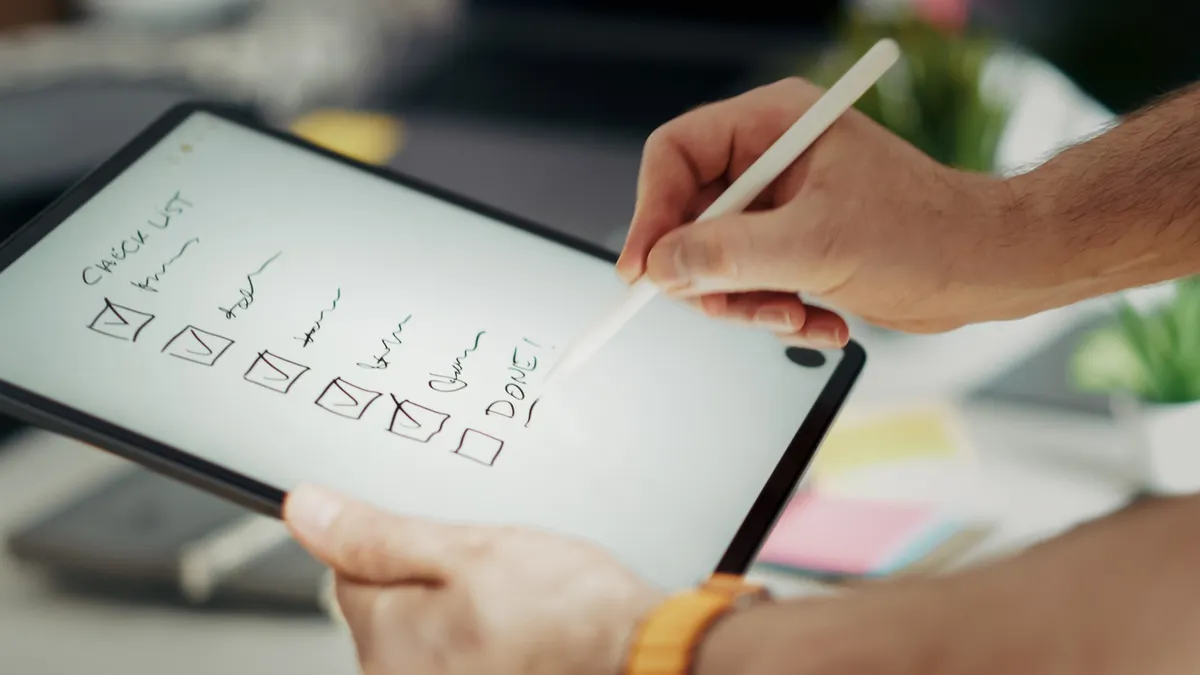
A SaaS demo is built to answer three buying questions in one meeting: can this product do the job, can it connect to the rest of your stack, and can it be operated by the people who will live with it after the sales call ends?
That sounds obvious, but most demos skip one of those three. A polished walkthrough often shows features in isolation: create record, edit record, send alert, repeat. What matters day to day is how the tool behaves when the record comes from another system, when permissions differ by role, or when a report needs to match finance, not marketing.
A solid demo should therefore be anchored to your workflow. For support teams, ask to see ticket routing, escalation rules, and how agent notes are stored. For sales teams, ask for lead assignment, field-level permissions, and pipeline reporting. For operations, ask for exception handling, audit trails, and export options.
The product’s limits matter as much as its strengths. A demo that hides setup, migration, or admin work is only telling half the story, and that half is usually the one that sells.
What to look for in a SaaS demo
What matters most is not how many features the vendor can name, but whether the demo proves the software can fit your actual work without creating a second job for the people who run it.
1) Your use case, not the vendor’s script
Start from your process map, not from a generic tour. When the presenter cannot walk through the exact sequence your team uses—capture, approval, handoff, reporting, archive—then you are seeing a template, not a fit check.
The strongest sign is when the vendor asks for your sample records, your approval rules, or your integration list before the meeting. That suggests they are willing to work with the shape of your business. A bad sign is a demo that begins with logo slides and ends before the hard questions.
2) Integration details that go past a logo wall
A real demo should show how the tool connects, not just which brands it names on a slide. Ask whether the product supports native connectors, API access, SSO, SCIM, webhooks, CSV import, or middleware such as Zapier or MuleSoft if those matter to your stack.
The difference is practical. A native integration may reduce maintenance, while an API-only path can be perfectly fine for a technical team and a headache for a small one. “It integrates with everything” is not enough; ask for the specific method and what data moves in each direction.
3) Permissions and roles
The demo should show what an admin can lock down and what a standard user can change. In many SaaS buys, the hidden cost appears later when a tool is either too open for compliance or too rigid for daily use.
Look for role-based access control, audit logs, approval flows, and the ability to segment by team, department, or business unit. When the vendor cannot explain who can see, edit, approve, and export records, the demo has skipped a core operating risk.
4) Reporting that matches how you actually measure work
A useful demo proves that reports can be built without a developer for every new question. Ask to see the report builder, the filters, the export format, and whether dashboard views can be scheduled or shared.
The right report is often the one that maps to the numbers you already manage: response time, conversion rate, utilization, churn, backlog, cycle time, or renewal risk. If the dashboard looks pretty but cannot answer those, it is decoration.
5) Setup, migration, and admin load
A demo should show what onboarding actually looks like. Setup requiring a services package, custom configuration, or weeks of manual migration is not a side note; it is part of the product.
Ask who configures fields, imports data, sets permissions, and trains users. Also ask how long it takes to get from contract to usable system. The vendor may not give a firm date, but the shape of the answer tells you whether implementation is lightweight or project-heavy.
6) Failure handling
The demo should also show what happens when something goes wrong. Ask to see an integration failure, a permission conflict, a duplicate record, or a workflow that gets paused and resumed. This is where software quality shows up.
A tool that fails clearly can be better than one that fails silently. The demo cannot explain error messages, retry logic, data recovery, or support escalation, then the buyer is being asked to trust the product without seeing how it behaves under stress.
Pros
- It can reveal workflow fit before procurement spends weeks on a contract, which means you can reject a poor match early [NIST SP 800-53].
- It can expose integration and permission gaps before migration, so the hidden implementation cost is less likely to land after signature.
- It gives nontechnical stakeholders a shared view of the product, which is useful when finance, IT, and operations all need to sign off.
Cons
- A scripted demo can hide setup time and admin labor, so the product may look lighter than it will be in production.
- If the presenter avoids live data, you may not learn how the software handles real records, messy fields, or edge cases.
- A demo can overstate ease of use when the daily job still depends on configuration, governance, or another system feeding clean data.
What most people forget to ask
Most buyers forget to ask how the software will be bought, run, and exited, and those are often the most expensive parts of the decision.
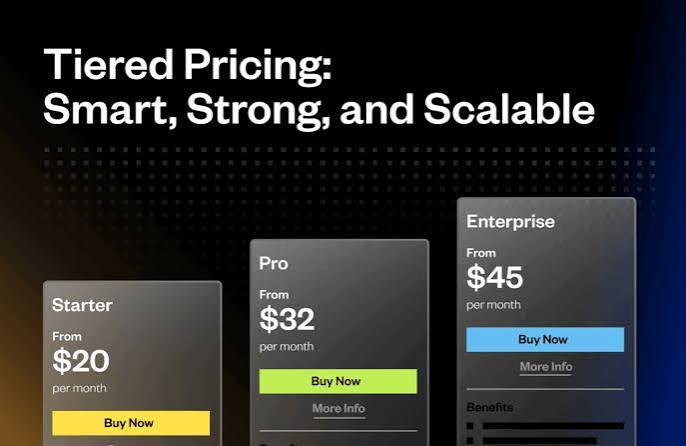
The first blind spot is the contract path. Ask what is included in the base package, what requires a paid add-on, and what counts as a billable service. Many SaaS products look simple until the buyer needs SSO, extra environments, advanced analytics, or additional seats. For a baseline, compare the vendor’s pricing and packaging against your own procurement checklist.
The second blind spot is data portability. Ask what export formats are available, how long exports remain accessible, and whether you can get your records out cleanly if the relationship ends. A demo that cannot answer that is not buyer-friendly, even if the interface is strong. You can also check the vendor’s help center or data retention policy before the meeting.
The third blind spot is support. Ask what support channel exists, what response expectations are stated, and whether account managers, implementation staff, and support staff are the same people. If the answer is vague, the buyer may be inheriting a tool that is easy to sell and harder to run.
The fourth blind spot is change management. A tool can fit the process and still fail if adoption depends on every user changing habits at once. Ask how permission changes, training, and rollout sequencing are handled. If the rollout plan assumes instant behavior change, it is too optimistic.
How to tell a strong demo from a sales performance
A strong demo answers your questions directly, accepts constraints, and shows the places where the product is not ideal. A sales performance keeps returning to polished screens, broad claims, and future promises.
We would treat three signals as especially important. First, the presenter can use your terminology instead of forcing theirs. Second, the presenter can move from the happy path to a harder case without deflecting. Third, the presenter can explain one limitation clearly enough that you understand the trade-off rather than hearing a dodge.
The easiest trap is letting “nice interface” substitute for operational fit. A clean UI matters, but in SaaS the cost of a bad fit is usually paid later in admin time, manual work, and workaround culture. A demo that never reaches those topics is incomplete.
What to watch out for in a SaaS demo
The main danger is a demo that proves only that the software can be shown, not that it can be adopted.
What stands out
- It should show your data shape, which means you can see whether the product fits your fields, naming, and record relationships instead of forcing a cleanup project.
- It should include a real integration path, so you know whether setup relies on a native connector, API work, or middleware [NIST].
- It should show one report that matters to your business, which means you can judge whether the analytics are usable without exports and spreadsheets.
- It should cover roles and permissions, so you can tell whether the product will satisfy internal controls or create a shadow-admin problem.
What to watch out for
- The vendor uses a polished sample account only, which means the demo may hide data migration, edge cases, and broken records.
- The presenter avoids pricing boundaries and add-ons, so the run cost can be higher than the first quote suggests.
- The team will not show exports or deletion paths, which means the exit route may be painful if you ever leave.
- The workflow only works with the presenter driving, which is a warning that end users may need heavy training or ongoing support.
Who should buy it, who should skip it
Buy a SaaS product after the demo only if your job depends on the exact workflow shown, the integrations match the systems you already use, and the admin load is realistic for the people who will own it.
Skip it if you need a tool that must be live in days, if your data model is messy and the vendor will not show import handling, or if compliance depends on permissions, logs, and export control that the demo cannot demonstrate. Skip it too if you are buying mainly because the interface looked pleasant for 20 minutes; that is not enough evidence for a subscription that may sit in your stack for years.
Who should buy SaaS after the demo, and who should skip it?
Buy it if the demo proves your core workflow end to end, shows how data moves through your stack, and answers who will configure, support, and export the system after launch. Skip it if the product only shines in a scripted tour, if the pricing model depends on add-ons the presenter will not detail, or if your team needs heavy change management and the vendor has no clear rollout plan.
Is it worth it in 2026?
A SaaS demo is worth your time in 2026 only when it is used as a decision tool, not as entertainment. The category keeps getting easier to present and harder to buy well, because many products now look competent for the first 15 minutes while hiding real differences in setup, governance, and total operating effort. In 2026, buyers should expect more polish and should ask for more proof.
That is why we would give the demo more weight when the software touches revenue, compliance, customer data, or a high-volume internal process. In those cases, the cost of a bad fit is not the subscription fee alone; it is the months of workaround behavior that follow.
The demo is less decisive for low-stakes tools, pilot projects, or products with low switching cost. The system is easy to replace and the process is not business-critical, a short demo plus trial access may be enough. The system will become a workflow backbone, the demo should feel like a structured review, not a pitch.
FAQ
How long should a SaaS demo last?
A demo should be long enough to cover your workflow, integrations, permissions, reporting, and at least one failure case, which often means longer than a polished 15-minute pitch but shorter than a wandering two-hour presentation.
Should I ask for a custom demo?
Yes, if the product will support a real business process or if your data and approvals are not standard. A custom demo is the fastest way to see whether the software fits your use case or only looks good in a generic account.
What should I send before the demo?
Send your use case, the systems the product must connect to, the roles involved, a sample record or two, and the top three questions you need answered. That gives the vendor a chance to show the right path instead of guessing.
Is a free trial better than a demo?
A trial is better for user experience and hands-on tasks; a demo is better for integration, admin, and governance questions. If the product is business-critical, use both in sequence.
What if the vendor refuses to show something live?
Treat that as a signal, not a minor inconvenience. The missing item is core to adoption, such as integrations, permissions, exports, or reporting, the demo has not answered the buying question yet.
Drafted with AI; not yet reviewed by a person.