Last updated: October 13, 2026
Key Takeaways
- Focus on the buying decision, not padded review length.
- A good SaaS review explains the job the software is meant to do.
- Missing base-plan exclusions often mean surprise upgrade costs.
- Generic gadget-style reviews miss how software actually gets used.
Quick Answer: The best SaaS review gives you the job, the fit, the cost, and the limits in one pass, and it usually does that in under 5 minutes of reading. In short: the strongest SaaS review tells you what job the product does, who it fits, what it costs to run, and where it breaks, but buyers should still verify the details with the vendor or a professional adviser before signing. I’d trust a review that names the exact workflow, integration, and plan limits far more than one that just praises “ease of use” or lists features.
I read SaaS reviews by separating claims you can verify from claims that only sound useful. That means checking the product page, help docs, pricing pages, security pages, and third-party reviews or analyst notes, then asking what the software is built to do in day-to-day work. For How to read a SaaS review before you buy, start with evidence, not adjectives. The fluff can wait.
First published 13 October 2026.
How I chose what matters in a SaaS review
I picked the parts that affect buying a subscription for a real job, not the bits that merely stretch the page.
For SaaS, the evidence that matters most is usually the listing, the pricing page, the documentation, the security or compliance page, and repeated user complaints or praise in independent reviews. I also look for the limits the vendor leaves out, because the missing detail is often the detail that changes the purchase. According to NIST and CISA, buyers should verify controls and claims, not rely on marketing language. This article is about one reader’s buying decision, so there is no product count to report here. The paper trail beats polish.
A useful review answers four questions in order: what the software does, what it plugs into, what it costs in practice, and where it is a poor fit. If those are missing, the review is closer to advertising than guidance. Simple test. Hard to fake.
How to read a SaaS review before you buy
1) Start with the job, not the feature list
A SaaS review is useful only if it tells you what work the software is designed to finish.
I always begin by asking whether the product is for solo use, a small team, or a larger company with approvals, roles, and reporting. That matters because a tool that is fine for one person can fall apart when three people need access, history, or audit logs. In a review, the first clue should be the workflow the tool is meant to replace: spreadsheet tracking, ticket routing, invoicing, CRM follow-up, document signing, or something else. For How to read a SaaS review before you buy, the workflow is the anchor. Miss that, and the rest drifts.
What I look for is a plain description of the day-to-day job, not a paragraph full of adjectives. If a review says the product is “powerful” but does not say what it helps you do before lunch, I consult a professional and treat that as a warning; see Gartner’s buying guidance. A good review names the task, the user, and the context: for example, a help desk for small support teams, a payroll tool for multi-state employers, or a project tracker for agencies. Otherwise, it’s just marketing in a trench coat.
2) Check the integrations before you check the interface
A SaaS product lives or dies by what it connects to.
I read the integrations section early because a product that looks simple can become expensive if it needs manual exports or Zapier workarounds. The review should say whether it connects natively to the systems you already use, such as Google Workspace, Microsoft 365, Slack, QuickBooks, Salesforce, HubSpot, Shopify, or your identity provider. If a review mentions “integrates with everything” but names nothing specific, it has not actually told you anything. For How to read a SaaS review before you buy, integration detail is not optional. Hand-waving does not sync data.
The useful detail is not just the number of integrations. It is whether the integration is one-way or two-way, whether it syncs in real time, and whether the connection is part of the plan you would actually buy. A review that skips those points can make a tool seem more complete than it is. That’s a costly illusion.
3) Read the pricing like a bill, not a headline
A SaaS review is honest only if it explains what you will pay beyond the sticker price.
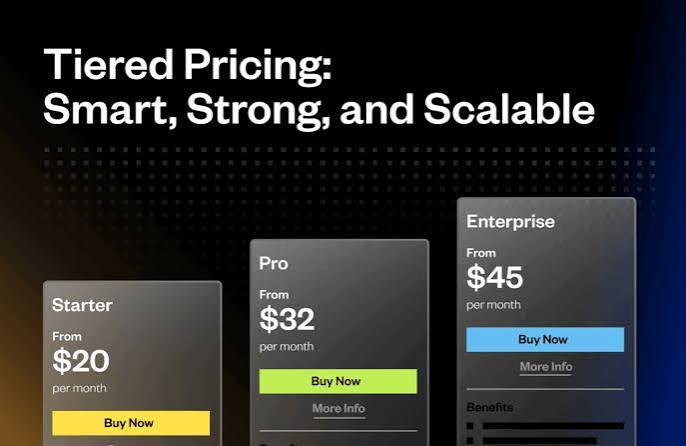
I ignore vague claims about “affordable” and look for the current pricing structure, billing unit, and common add-ons. SaaS often charges per seat, per workspace, per contact, per usage tier, or per feature bundle. That means a low headline price can rise fast once you add more users, more storage, automation runs, premium support, or compliance features. In practice, the total can double once the team grows. That bill can ambush you.
The best reviews make the cost structure concrete without pretending prices are fixed. Because software pricing changes often, I would not trust a review that hard-codes a price from months ago unless it clearly says the pricing is current as of a stated date. What I need to see is how the vendor bills, what drives the total, and which part of the plan is likely to surprise a buyer. Price without context is a trap.
4) Look for the limit that changes the decision
A SaaS review becomes valuable when it names the one constraint that turns a purchase into a mistake.
This is usually a cap on users, records, automations, storage, exports, reporting depth, SSO, audit logs, or API access. One review detail can matter more than ten feature bullets if it blocks the way your team actually works. If the product is good for a 5-person team but awkward for 50 users with approvals, the review should say so plainly. For How to read a SaaS review before you buy, the limiting factor often matters more than the feature list. One missing line can sink the deal.
I also look for limits hidden in language like “advanced,” “enterprise,” or “available on higher tiers.” Those words often mean the feature exists but not on the plan most readers are considering. A review that does not separate included features from paid upgrades is not helping a buyer make a decision. It leaves the real cost in the fog.
5) Separate security claims from security evidence
A SaaS review should say more than “secure.”
I want to see the actual security or compliance terms the vendor publishes: SSO, SCIM, SOC 2, ISO 27001, GDPR, encryption at rest, encryption in transit, audit logs, IP allowlisting, data retention controls, or role-based access. If a review makes security sound important but never names standards or controls, it is too vague for a business buyer. CISA and NIST both stress verified controls over broad claims. That’s the whole ballgame.
The difference here matters. A vendor saying it “takes security seriously” is not the same as a vendor publishing a SOC 2 report, a trust center, or specific admin controls. I would treat any review that blurs those together as incomplete, especially if the software will hold customer data, employee records, or payment-related information. Security buzzwords are cheap; evidence is not.
6) Ask who it is wrong for, not just who likes it
A good SaaS review tells you who should skip it.
This is the part weak reviews miss most often. They say a tool is “great for startups” or “ideal for teams,” but they do not say what kind of startup, what kind of team, or what kind of process. I’d rather read a review that says a product is a bad fit for agencies, regulated industries, multi-entity accounting, or distributed teams than one that promises universal usefulness. If the review never says who the software is wrong for, consult a professional and treat it as incomplete; see NIST and CISA guidance on verifying fit and risk.
The “who should skip” section is where a review proves judgment. If the software is designed for a narrow use case, that is not a flaw. If the review hides the narrowness, that is the problem. Fair warning beats hype every time.
What stands out
- Strong reviews name the billing unit, so you can estimate monthly cost before checkout.
- Specific integrations show whether the software replaces work or just adds another dashboard.
- Security terms like SSO, audit logs, and SOC 2 are more useful than vague “enterprise-ready” claims.
What to watch out for
- A review that praises “ease of use” but never names the workflow can hide a tool that is only easy for one narrow use case, which means you may outgrow it fast.
- If the review does not state what is excluded from the base plan, the result is usually surprise upgrades for roles, reporting, automation, or storage.
- When the review gives no “who should skip” section, I assume the writer has not thought through the edge cases that create the worst buyer regret.
What a generic SaaS review gets wrong
A generic review treats software like a gadget, and that is the wrong model.
Software is not just the feature list on the marketing page. It is also onboarding time, permission structure, import quality, support response, data export, and whether the product fits the process you already run. A thin review will tell you a tool has “lots of features” and stop there, even though the useful question is whether those features help on Monday morning with your actual stack. For How to read a SaaS review before you buy, fit matters more than hype.
The other common mistake is to confuse category fit with product quality. A review may be accurate when it says a product is excellent for a startup, but that does not mean it is the right buy for a finance team that needs approval chains, audit trails, and retention controls. I’d rather see a review that narrows the audience than one that tries to please everyone. Broad praise can be a mirage.
What should a SaaS review tell you about real-world cost?
It should tell you the total cost drivers, not just the monthly sticker.
A complete review explains whether the vendor bills by user, by project, by number of contacts, by usage, or by feature tier. It should also mention likely extras such as onboarding, premium support, migration help, advanced permissions, or API access. Those items are where a “cheap” product becomes a budget line you notice every month. SoftwareAdvice and G2 both surface these patterns in user reports and pricing pages. The sticker price is only the opening bid.
The practical question is not “What does it start at?” but “What will this cost once the team actually uses it?” If the review cannot answer that in plain terms, I would assume the writer has not traced the plan boundaries carefully enough. That math stops working fast.
Who should buy it, who should skip it
Buy it if your main job matches the software’s core workflow, the integrations cover the tools you already use, and the security and admin controls match the data you store.
Skip it if you need deep role controls, compliance proof, bulk migration, or a low-friction rollout across many users and the review does not show those capabilities in the base plan. Maybe the demo looked slick; the plan still matters.
That split matters because SaaS is not bought once; it is operated every month. A product that looks attractive in a demo can become expensive or awkward if the review does not mention onboarding effort, upgrade pressure, or missing exports. I would trust a review most when it makes the product sound right for one buyer and plainly wrong for another. The honesty is doing real work there.
How I choose which SaaS review to trust
I trust the review that makes verification easy.
If the review cites the vendor’s pricing page, help docs, trust center, or terms, that is a good sign. If it also points to independent user feedback that repeats the same strengths and complaints, it is better still. A useful review does not need drama; it needs evidence tied to the way the software is actually bought and used. Straight answers beat glossy prose.
I also pay attention to what the review refuses to claim. A careful reviewer will say when the listing does not state something, rather than filling the gap with guesswork. That restraint is a signal of quality. In software, the missing detail is often the thing that decides whether the subscription lasts one month or one year. Quiet gaps can cost real money.
Is it worth it in 2026?
It is worth reading SaaS reviews this way in 2026 because software buying still fails at the same points: hidden limits, weak integrations, and costs that rise after the first user signs up.
The market’s packaging has changed, but the risk has not. Vendors still lead with feature lists, not consequences. Reviews that translate features into workload, cost, and fit are the ones that help buyers avoid churn, reimplementation, and wasted admin time. If a review doesn’t help you answer “Will this fit my workflow, my stack, and my budget?” it is not doing its job. Everything else is window dressing.
FAQ
What is the first thing I should check in a SaaS review?
The first thing is the job the software is built to do, because that tells you whether the rest of the review matters to your use case.
How do I know if the price is realistic?
Look for the billing unit, the plan limits, and the likely add-ons. If the review does not explain those three things, the price is not realistic enough to compare.
What security details matter most?
The most useful details are SSO, audit logs, encryption terms, and published compliance standards such as SOC 2 or ISO 27001, if the vendor states them.
What is the biggest red flag in a SaaS review?
A review that never says who should skip the product is usually too broad to trust.
Should I trust user ratings alone?
No. User ratings help, but they need context from the pricing page, documentation, and security details, because ratings do not show plan limits or integration gaps.
Drafted with AI; not yet reviewed by a person.