Last updated: October 11, 2026
Key Takeaways
- Slack is strongest for teams where chat is the core workflow.
- Microsoft Teams fits organizations already centered on Microsoft 365.
- Google Chat is the simplest choice for Gmail-and-Drive teams.
- Twist suits teams that prefer calmer, threaded discussion.
Some links here are partner links. It costs you nothing and may pay us a commission.
In short: Slack is usually the default for fast-moving teams because it centralizes chat and app alerts; Microsoft Teams suits shops already paying for Microsoft 365; Google Chat is the lightest choice for Google Workspace users; and Twist works for teams that want fewer interruptions and more threaded discussion. For procurement or compliance decisions, consult a qualified professional and verify current vendor documentation before you buy.
We built this article around the Best SaaS Tools for Team Communication so buyers can compare the main options without sorting through product marketing. Slack, Microsoft Teams, Google Chat, Twist, and Discord each solve a different communication problem, so the best fit depends on how your team works.
We sorted this shortlist by reading vendor documentation, current plan pages, and product help docs for message history, admin controls, integrations, and export limits, then comparing those against the communication problems teams actually buy software to solve. For authoritative context, we also checked Slack’s pricing and help pages, Microsoft’s Teams documentation, and Google Workspace and Twist product pages.
How to choose team communication software matters because the wrong platform gets expensive in time, not just dollars. Best project management tools can also help if your team needs chat plus task tracking.
How we compared
That means we weighed the things buyers care about most in team communication SaaS: message retention, thread behavior, file sharing, guest access, search, and how hard it is to leave later.
This lens matters because communication tools are rarely bought for one feature alone. We focused on workloads that look like a real company week: daily channel chatter, a few thousand messages a month, one-to-one and group threads, links into Jira or Asana, and at least one team that needs external guests.
To keep the comparison practical, we also read each vendor’s docs for plan limits, export tools, and admin features. The free tier is often enough to start, but usually not enough to run a team for long, especially once message history and governance matter. Twenty minutes, not two.
Quick picks
| Tool | Best for | Free tier? | Starts at | Where to start |
|---|---|---|---|---|
| Slack | Teams that live in chat and rely on lots of app alerts | Yes | Paid plans start on vendor pricing pages; check current plans | Start with the free tier |
| Microsoft Teams | Companies already on Microsoft 365 and Outlook | Yes | Paid plans are bundled with Microsoft 365; check current plans | Start with the free tier |
| Google Chat | Workspace users who want simple chat tied to Gmail and Drive | Yes | Paid plans are bundled with Google Workspace; check current plans | Start with the free tier |
| Twist | Async teams that want fewer interruptions and more readable threads | Yes | Paid plans are billed monthly or yearly; check current plans | Start with the free tier |
| Discord | Small communities and informal teams that need voice plus text | Yes | Paid plans are billed monthly or yearly; check current plans | Start with the free tier |
Best overall: Slack
Slack is the best all-around team communication tool for groups that need fast chat, deep integrations, and flexible channels, unless your company already lives inside Microsoft 365 and does not want another workspace to manage.
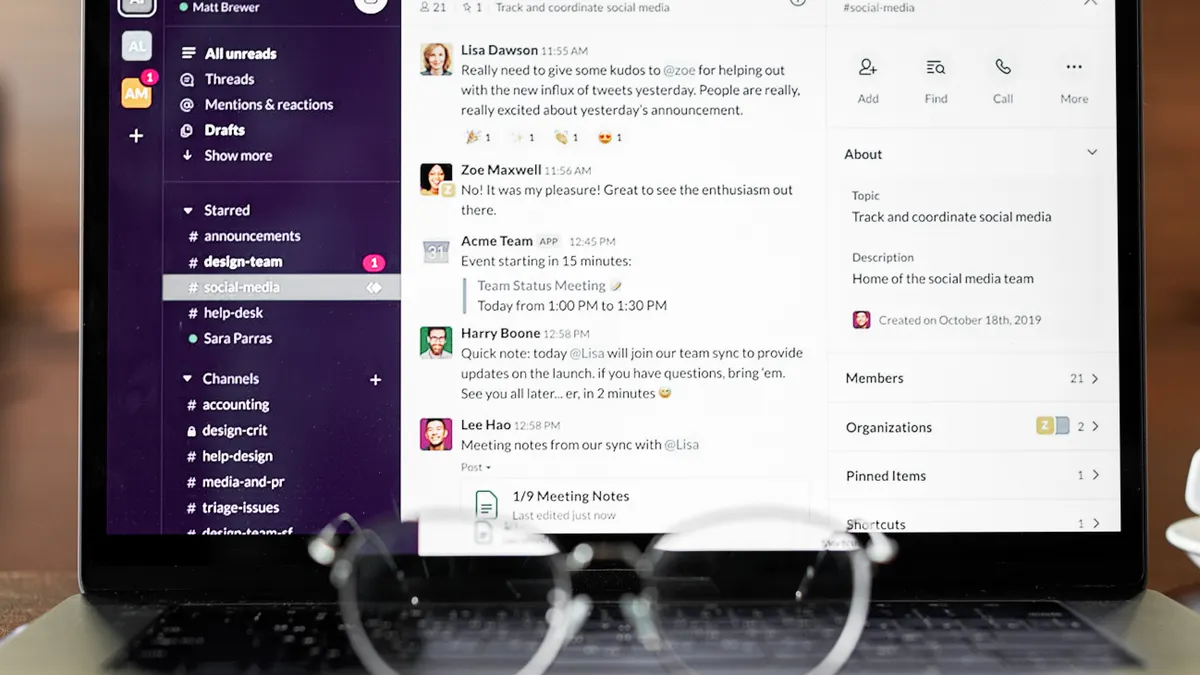
Slack works best when communication is the job, not a side effect, and its own help and pricing pages show why teams adopt it for that role. Channels keep project traffic visible, threads keep side conversations from flooding the main room, and the app directory is broad enough to pull in alerts from Jira, Asana, GitHub, and calendar tools. Slack’s paid plans add longer history, workflow controls, and more admin options than the free tier, which matters once the team starts depending on the archive. See Slack’s pricing and help pages for the current limits.
The catch is that Slack can turn into a fire hose. If every tool posts into every channel, people stop reading the stream and start treating it like background noise. The search is useful, but only if your team keeps channel names, tags, and thread discipline under control. Honestly, that part is the trickiest. Slack also costs more in practice than the “free” label suggests, because the free tier is for trying the product, not for retaining a long working history.
Pros
- Threads, channels, and app integrations give one place for project talk, so people spend less time jumping between tools.
- The free tier lets a small team start without a purchase decision, which means you can validate your channel structure before paying.
- The integration catalog is broad enough for teams that rely on Jira, GitHub, and calendar alerts, which reduces manual status updates.
Cons
- The free tier is a trial lane, not a long-term archive, so older messages and admin controls push most real teams upward.
- Slack can become noisy fast, which means teams without channel rules end up with unread piles and missed decisions.
- The more apps you connect, the more alert spam you create, so Slack rewards discipline and punishes casual setup.
Slack’s pricing reality is simple: at the time of writing, the free tier covers light chat and evaluation, but historical access, workflow controls, and admin features are what usually force the upgrade. For a team of five, the per-seat cost matters less than the hidden cost of letting the workspace become the company memory; that is where Slack tends to earn its keep. If you are choosing the entry plan, treat it as the start of a ladder and check current plans before you commit. For current details, compare Slack’s pricing with its admin and export documentation.
The lock-in question is where Slack gets serious. Data export exists, but what you can export depends on the plan and on workspace ownership rules, so leaving is not as clean as deleting a chat app. The practical break point is message history and file links: if your team has used Slack as the record of decisions, leaving means rebuilding context somewhere else.
Buy this if your team works in channels all day, depends on third-party integrations, and wants a single place for alerts and decisions. Skip it if you need the cheapest long-term archive or if your company already standardizes on Microsoft 365.
Best for Microsoft 365 users: Microsoft Teams
Microsoft Teams is the right pick when Outlook, SharePoint, and Microsoft 365 are already the center of the company, unless your group wants a lighter interface and very little setup.
Teams wins on bundling and adjacency. If your documents sit in OneDrive and your meetings already happen in Outlook, Teams removes a lot of friction because chat, calling, files, and meetings sit inside the same Microsoft stack. That matters for organizations that care more about compliance, account control, and file governance than about a very polished chat experience. Microsoft’s documentation also makes clear that Teams is not just chat; it is a collaboration surface around meetings and documents.
That same bundling is the reason Teams feels heavy for some buyers. The downside is usability. Teams can feel heavy for small groups that only want quick messaging, and its structure is less nimble than Slack’s when a team needs lots of informal channels or app-driven workflows. It can also become a maze if the tenant is large and permissions are uneven. A simple chat need can turn into a Microsoft admin issue very quickly.
Pros
- It fits naturally into Microsoft 365, so files, meetings, and chat stay close together for teams already paying for that stack.
- Meeting scheduling and video calls are built in, which means fewer handoffs for teams that talk and meet in the same space.
- Admin and compliance controls are useful for regulated organizations that need clear retention and governance policies.
Cons
- The interface can feel crowded, which makes it slower for teams that only want quick, clean messaging.
- It is easy to overcomplicate with too many teams and channels, which means people miss where decisions were made.
- The user experience depends heavily on how well the Microsoft tenant is managed, so a messy rollout hurts every day.
Pricing reality depends on the Microsoft 365 bundle rather than a single chat line item. At the time of writing, the free tier supports basic communication, but the useful version for most businesses is the one tied to Microsoft 365 plans. For a team of five, the cost question is not only the seat price; it is whether you already pay for the ecosystem. If you do, Teams is often the cheaper decision in practice. If you do not, the value case is weaker.
The lock-in question is mixed. Microsoft gives you export and compliance tools, but the degree of usable export depends on the tenant, admin rights, and retention settings. Leaving usually means losing the convenience of shared files, chat history, and meeting artifacts tied to the Microsoft stack.
Buy this if your company already uses Outlook, SharePoint, and Microsoft 365. Skip it if you need a lightweight chat tool for a small startup that changes fast and hates platform sprawl.
Best for Google Workspace users: Google Chat
Google Chat is the easiest choice for teams that already run on Gmail and Drive, unless they need the richer channel culture and automation depth of Slack.
Chat works because it stays out of the way. If your people live in Gmail, Docs, and Calendar, Google Chat sits close enough to feel native without demanding a second communication universe. The strongest case for it is simplicity: fewer knobs, fewer settings, and less temptation to turn chat into an ops system. That makes it a solid choice for teams that value speed over structure.
The trade-off is control and depth. Google Chat is cleaner than it is powerful. Teams that need elaborate workflows, broad app ecosystems, or heavy channel governance usually outgrow it. It also makes the most sense when Google Workspace is already the standard, because standalone value is harder to justify. Thin, but handy.
Pros
- It fits naturally with Gmail and Drive, so document links and conversations stay close together.
- The interface is straightforward, which helps teams that do not want to train people on a new collaboration system.
- It works well for smaller teams that need reliable chat without a lot of process overhead.
Cons
- The feature set is thinner than Slack’s, which can frustrate teams that need many third-party integrations.
- It is less compelling outside Google Workspace, so the standalone case is weak.
- Teams that want complex channel structures may find it too simple for long-term use.
Pricing reality follows Google Workspace, not a separate chat-first product model. At the time of writing, the free tier covers basic use, but the real value sits in the paid Workspace bundle that adds storage, admin, and business controls. For a team of five, that can be sensible if Gmail and Drive are already paid for; it is harder to defend if chat is the only thing you want.
The lock-in question is moderate. Your messages live inside Google’s environment, and while Google offers export tools through its broader ecosystem, the practical loss is context: linked docs, thread history, and workspace conventions. Moving out is possible, but a chat history divorced from Drive and Gmail is a weaker system than the one you started with.
Buy this if your team already uses Google Workspace and wants a clean, low-friction place for chat. Skip it if you need advanced channel moderation, a large app ecosystem, or deep workflow automation.
Best for asynchronous teams: Twist
Twist is a strong pick for teams that want calmer, more readable communication, unless they need instant-fire chat and lots of live back-and-forth.
Twist is built around threaded, asynchronous discussion rather than constant interruption. That makes it a strong fit for distributed teams, knowledge workers, and groups that care about written decisions more than ambient chatter. If Slack feels like a stream that never stops, Twist is closer to a filing cabinet with conversation attached. That is a virtue when people work across time zones or need fewer notifications.
Because of that design, Twist is less exciting for teams that rely on rapid response. If your group lives in the same office and expects immediate chat, the async model can feel slow. Its value is not breadth of integrations or meeting features; it is focus. That is a real advantage for some teams and a real limitation for others. The trade-off is blunt.
Pros
- Threads are central, which means decisions are easier to follow later than in a fast-moving group chat.
- The quieter design reduces the pressure to answer every message instantly, which suits distributed schedules.
- It works well for teams that want written discussion to outlast the notification cycle.
Cons
- It is not built for frantic real-time chat, so it can feel slow for same-day operations work.
- The ecosystem is narrower than Slack’s, which means fewer native integrations for tool-heavy teams.
- Teams that expect lots of voice, huddles, or live meetings will need separate tools.
Pricing reality at the time of writing follows a familiar SaaS ladder: the free tier is for small-scale use, while the paid plans are for fuller history, larger teams, and more administration. For a team of five, the cost is usually easier to justify if the team values focus and long-form decision trails. If your team mostly wants a live chat room, you may pay for a style you do not actually use.
The lock-in question is less about raw export and more about the communication style. You can move messages elsewhere, but what Twist really gives you is a habit of structured async work. Leave, and you lose the method as much as the data. That is the hidden cost of a calmer product.
Buy this if your team spans time zones or already prefers written decisions. Skip it if you need rapid-fire channel chat, heavy app integrations, or built-in meeting culture.
Best free option: Discord
Discord is the best free option for informal teams that want text and voice in one place, unless they need business controls, auditability, or a corporate tone.
Discord works surprisingly well for small teams that want real-time conversation without paying for every seat. Voice channels are part of the appeal, and the always-on room model makes it useful for startups, creative groups, and community-style teams. If your main need is coordination plus occasional voice, it can do the job with very little setup.
The drawback is that Discord is not designed first as a business system. Permissions, retention, admin governance, and compliance are not its strongest reasons to exist. It can work for a team, but it is the kind of choice that fits an early-stage group better than a company that expects audits, strict records, or formal oversight.
Pros
- Text and voice live together, which means a small team can move from chat to live discussion without changing apps.
- The free tier is generous enough for casual use, which lowers the barrier for a small group.
- It is familiar to many users, so onboarding is often lighter than with a formal enterprise tool.
Cons
- It lacks the business controls most companies want, which makes it a poor fit for regulated work.
- Channel structure can sprawl quickly, so a team without moderation ends up with noisy rooms.
- The product is not centered on corporate record-keeping, which means it is weaker for audit trails and formal governance.
Drafted with AI; not yet reviewed by a person.